
HP 9SV78AA#ABA specs.
Monitors Specs >> HP >> HP 9SV78AA#ABA| Specifications | | | Reviews |
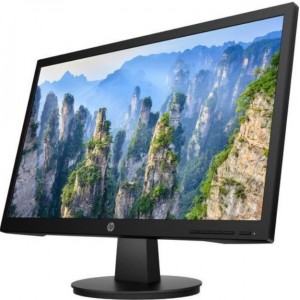
Technical Information HP 9SV78AA#ABA
Number of Screens:
1
Screen Size Class:
22"
Viewable Screen Size:
21.5"
Screen Mode:
Full HD
Panel Technology:
Twisted nematic (TN)
Response Time:
5 ms On/Off
Aspect Ratio:
16:9
Pixel Pitch:
9.8 mil
Horizontal Viewing Angle:
170°
Vertical Viewing Angle:
160°
Backlight Technology:
WLED
Mount Type:
Panel-mountable
Features:
Anti-glare
Low Blue Light
Low Blue Light
Curved Screen:
No
Stand Adjustments:
Tilt
Video HP 9SV78AA#ABA
Maximum Resolution:
1920 x 1080
Standard Refresh Rate:
60 Hz
Native Contrast Ratio:
1,000:1
Brightness:
250 Nit
Interfaces/Ports HP 9SV78AA#ABA
HDMI: High-Definition Multimedia Interface
High-Definition Multimedia InterfaceYes
VGA:Video Graphics Array
Video Graphics ArrayYes
Number of HDMI Inputs:
1
Dimensions HP 9SV78AA#ABA
VESA Mount Compatible:
Yes
Color:
Black
Height:
15.2"
Width:
22.3"
Depth:
4.7"
Weight:
6.28 lb
Reviews, Questions about HP 9SV78AA#ABA
Write Review / Ask a question about HP 9SV78AA#ABA
Hisense has added a new gaming monitor to its lineup: the G7 Pro. The model features a large screen with slim bezels and the ability to operate in two modes, allowing users to adjust key settings depending on the gaming scenario.
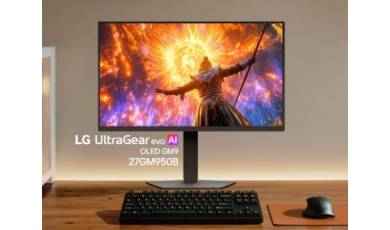
The LG Electronics catalog now features a new gaming monitor, the UltraGear evo 27GM950B. It stands out with its 5K resolution and new Hyper Mini LED technology. Thanks to two modes, users can choose between high image clarity and maximum smoothness.
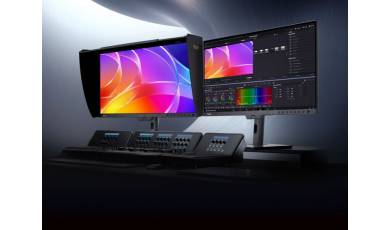
ASUS has expanded its ProArt monitor series with the release of the PA32USD model. In addition to high resolution and accurate color reproduction, the new model features a high refresh rate, making it suitable for both multimedia content and gaming.