
Dell Inspiron 15 3542 (3542541TBiS) specs.
Laptops Specs >> DELL >> Dell Inspiron 15 3542 (3542541TBiS)| Specifications | | | Reviews | | | Useful keys |
| Screenshot |
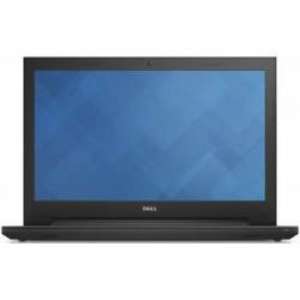
General Information Dell Inspiron 15 3542 (3542541TBiS)
Dimensions(WxHxD):
381 x 267 x 26.6 mm
Weight:
2.1 Kg
Colors:
Silver
Operating System:
Windows 8.1
Operating System Type:
64-bit
Display Dell Inspiron 15 3542 (3542541TBiS)
Display Size:
15.6 Inches (39.62 cm)
Display Resolution:
1366 x 768 Pixels
Display Type:
LED
Display Features:
HD LED Backlit Display with True Life
Display Touchscreen:
No
Hardware Dell Inspiron 15 3542 (3542541TBiS)
CPU: Central processing unit
Central processing unitIntel Core i5-4210U
CPU Speed:
1.7 Ghz
Chipset:
Intel QM87 Express
Graphic Processor:
Intel HD 4400
Memory Dell Inspiron 15 3542 (3542541TBiS)
Capacity:
4 GB
RAM type:
DDR3
RAM speed:
1600 Mhz
Memory Slots:
2 DIMM
Expandable Memory:
8 GB
Memory Layout:
1 x 4 Gigabyte
Storage Dell Inspiron 15 3542 (3542541TBiS)
HDD Capacity:
1 TB
HDD Speed(RPM):
5400 RPM
HDD type:
SATA
Battery Dell Inspiron 15 3542 (3542541TBiS)
Battery Cell:
4 Cell
Battery type:
Li-Ion
Power Supply:
40 W AC Adapter W
Network & Connectivity Dell Inspiron 15 3542 (3542541TBiS)
Wireless LAN:Wireless Local Area Network
Wireless Local Area Network802.11 b/g/n
Bluetooth:Bluetooth is used to exchange data between nearby mobile devices.
Bluetooth is used to exchange data between nearby mobile devices.Yes
Bluetooth Version:
4.0
Ports Dell Inspiron 15 3542 (3542541TBiS)
USB 3.0 slots:
1
USB 2.0 slots:
2
HDMI:High-Definition Multimedia Interface
High-Definition Multimedia InterfaceYes
SD Card Reader:
Yes
Headphone Jack:
Yes
Microphone Jack:
Yes
VGA:
Yes
Media Dell Inspiron 15 3542 (3542541TBiS)
Web-cam:
Yes
Video Recording:
720p HD
Audio Solution:
HD Audio Solution
Speakers:
2 x 2.0W Stereo Speakers
Sound Technologies:
Waves MaxxAudio 3
In-built Microphone:
Yes
Microphone Type:
Analog Microphone
Peripherals Dell Inspiron 15 3542 (3542541TBiS)
Optical Drive:
Tray-load DVD RW Drive
Drive Type:
DVD Writer
Pointing Device:
Touchpad with Multi-touch Gesture Support
Keyboard:
Full-sized spill-resistant keybooard
Fingerprint Scanner:
No
Reviews, Questions about Dell Inspiron 15 3542 (3542541TBiS)
| Jared | December 30, 2022 | |
| How to set notebook to Boot from USB Drive? | ||
Write Review / Ask a question about Dell Inspiron 15 3542 (3542541TBiS)
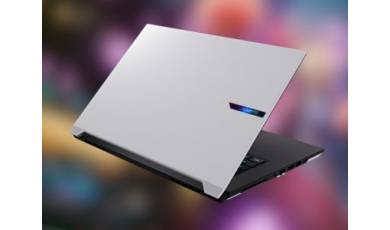
The GIGABYTE Aero X16 is positioned as a model capable of running LLMs locally and performing other ?heavy-duty? tasks, including content creation and gaming. In addition to its powerful hardware, the new model stands out for its good battery life and fast 16-inch display.
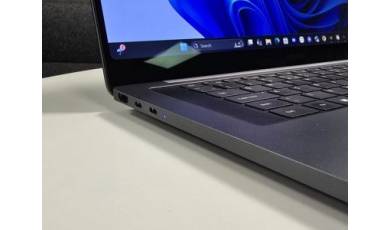
Samsung unveiled the Galaxy Book 6 Edge laptop without any fanfare, simply issuing a press release on its official website. This ?quiet? unveiling revealed all the specifications of the new device, which is built on an ARM processor.
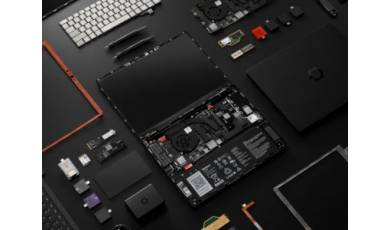
Framework has released its Laptop 13 Pro, based on the latest Intel Core Ultra platform. Its main advantage over competitors is its modular design, which allows for easy upgrades and repairs.