



Sony SDM-HS75 specs.
Monitors Specs >> Sony >> Sony SDM-HS75| Specifications | | | Reviews |
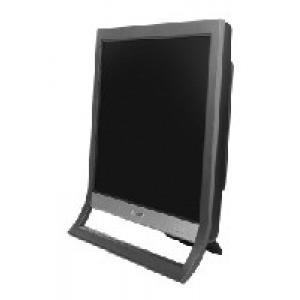
General characteristics Sony SDM-HS75
Type:
LCD Monitor
Diagonal:
17"
Resolution:
1280x1024 (5:4)
LCD Type:
TFT TN
Screen Sony SDM-HS75
Dot Horizontal:
0.264 mm
Dot Vertical:
0.264 mm
Brightness:
250 cd/m2
Contrast:
500:1
Response time:
16 ms
Field of view:
Horizontal: 160°; Vertical: 160°
The maximum number of colors:
16.2 million
Signal Sony SDM-HS75
Frequency sweep:
Horizontal: 28-80 kHz, Vertical: 48-75 Hz
Connection Sony SDM-HS75
Inputs:
VGA (D-Sub)
Power Sony SDM-HS75
Power consumption:
Operating: 45 W, Standby: 1W
Additionally Sony SDM-HS75
Standards:
Environment: MPR-II, TCO'' 99
Dimensions, weight:
388x383x206 mm, 5 kg
Reviews, Questions about Sony SDM-HS75
| Carlito Manuel | April 30, 2020 | |
| monitor blackout, No light on screen | ||
Write Review / Ask a question about Sony SDM-HS75
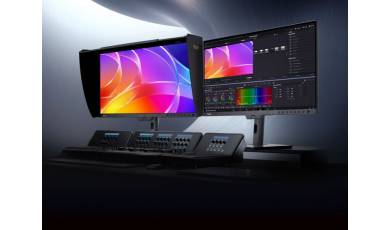
ASUS has expanded its ProArt monitor series with the release of the PA32USD model. In addition to high resolution and accurate color reproduction, the new model features a high refresh rate, making it suitable for both multimedia content and gaming.
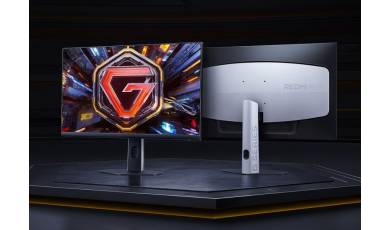
REDMI has unveiled the G24Q, an affordable gaming monitor featuring a Fast IPS panel. Despite its affordable price, the new model offers an advanced set of specifications and supports a range of features designed to enhance the gaming experience without the use of cheats.

GIGABYTE has released a new gaming monitor, the MO32U24. This 32-inch model features 4K resolution, a QD-OLED panel, and a 240 Hz refresh rate?a rare combination of specifications even in the high-end segment.