

Sony LMDX310MD 31.1 specs.
Monitors Specs >> Sony >> Sony LMDX310MD 31.1| Specifications | | | Reviews |
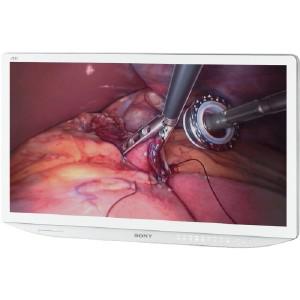
General Specs Sony LMDX310MD 31.1"
Number of Screens:
1
Screen Size: This diagonal display size is usually measured in inches.
This diagonal display size is usually measured in inches.31.1"
Screen Mode:
4K
Aspect Ratio:
17:9
Backlight Technology:
LED
Video Sony LMDX310MD 31.1"
Maximum Resolution:
4096 x 2160
Color Supported:
1.07 Billion Colors
Contrast Ratio:
1,450:1
Brightness:
700 Nit
Interfaces/Ports Sony LMDX310MD 31.1"
DVI:
Yes
HDMI:High-Definition Multimedia Interface
High-Definition Multimedia InterfaceYes
VGA:Video Graphics Array
Video Graphics ArrayYes
Power Description Sony LMDX310MD 31.1"
Operating Power Consumption:
20 W
Physical Characteristics Sony LMDX310MD 31.1"
VESA Mount Compatible:
Yes
Height:
18"
Width:
29.8"
Depth:
2.8"
Weight (Approximate):
26.87 lb
Reviews, Questions about Sony LMDX310MD 31.1
Write Review / Ask a question about Sony LMDX310MD 31.1
ASUS has expanded its ProArt monitor series with the release of the PA32USD model. In addition to high resolution and accurate color reproduction, the new model features a high refresh rate, making it suitable for both multimedia content and gaming.
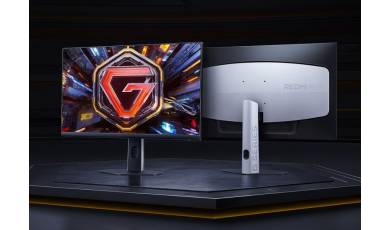
REDMI has unveiled the G24Q, an affordable gaming monitor featuring a Fast IPS panel. Despite its affordable price, the new model offers an advanced set of specifications and supports a range of features designed to enhance the gaming experience without the use of cheats.
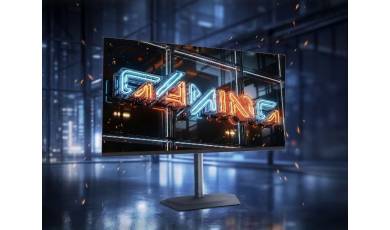
GIGABYTE has released a new gaming monitor, the MO32U24. This 32-inch model features 4K resolution, a QD-OLED panel, and a 240 Hz refresh rate?a rare combination of specifications even in the high-end segment.