
Samsung S27D590P specs.
Monitors Specs >> Samsung >> Samsung S27D590P| Specifications | | | Reviews |
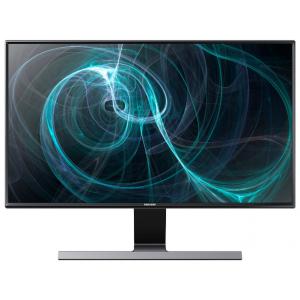
General characteristics Samsung S27D590P
Type:
LCD, widescreen
Diagonal:
27"
Resolution:
1920 x 1080 (16:9)
Backlight:
WLED
Screen Samsung S27D590P
Step point horizontally:
0.311 mm
Step point vertically:
0.311 mm
Brightness:
300 CD/m2
Contrast:
1000:1
Response time:
5 MS
Scope of review:
horizontal: 178 degrees; vertical: 178°
The maximum number of colors:
16.7 million
Connection Samsung S27D590P
Inputs:
HDMI x2, VGA (D-Sub)
Outputs:
headphones
Functions Samsung S27D590P
Functionality:
menu in Russian language, color calibration
Power Samsung S27D590P
Power supply:
external
Power consumption:
at work: 23 watts in idle mode: 0.30 W
Advanced
Dimensions, weight:
620x465x169 mm, 4.96 kg
Reviews, Questions about Samsung S27D590P
Write Review / Ask a question about Samsung S27D590P
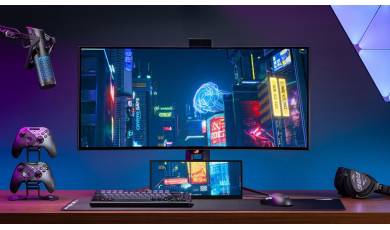
ASUS has added the compact ROG Strix XG129C secondary display to its lineup, designed for streamers, gamers, and anyone who constantly runs out of space on their main monitor. The company has even secured the support of the developers of the popular AIDA64 Extreme utility.
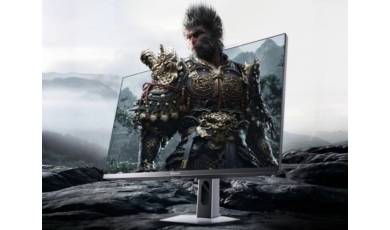
Hisense has added a new gaming monitor to its lineup: the G7 Pro. The model features a large screen with slim bezels and the ability to operate in two modes, allowing users to adjust key settings depending on the gaming scenario.
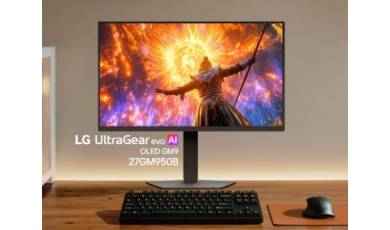
The LG Electronics catalog now features a new gaming monitor, the UltraGear evo 27GM950B. It stands out with its 5K resolution and new Hyper Mini LED technology. Thanks to two modes, users can choose between high image clarity and maximum smoothness.