

ASUS VE198D specs.
Monitors Specs >> ASUS >> ASUS VE198D| Specifications | | | Reviews |
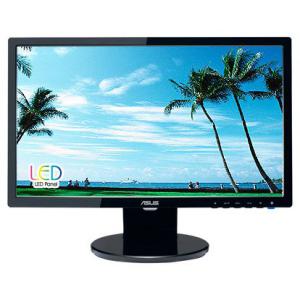
General characteristics ASUS VE198D
Type:
LCD Monitor, Widescreen
Diagonal:
19"
Resolution:
1440x900 (16:10)
LED (LED) backlight:
Yes
LCD Type:
TFT TN
Screen ASUS VE198D
Dot Horizontal:
0.2835 mm
Dot Vertical:
0.2835 mm
Brightness:
250 cd/m2
Dynamic Contrast Ratio:
10000000:1
Response time:
5 ms
Field of view:
Horizontal: 170°; Vertical: 160°
The maximum number of colors:
16.7 million
Signal ASUS VE198D
Frequency sweep:
Horizontal: 30-80 kHz, Vertical: 55-75 Hz
Connection ASUS VE198D
Inputs:
VGA (D-Sub)
Power ASUS VE198D
Power supply unit:
built-in
Power consumption:
Operating: 25 W, Standby: 1 watt in sleep mode: 1 W
Additionally ASUS VE198D
Standards:
energy efficiency: Energy Star
Dimensions, weight:
445x366x182 mm, 3.20 kg
Reviews, Questions about ASUS VE198D
Write Review / Ask a question about ASUS VE198D
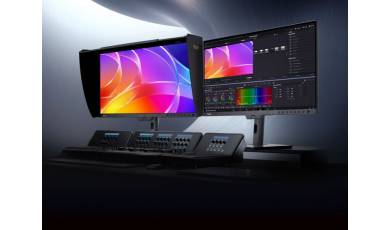
ASUS has expanded its ProArt monitor series with the release of the PA32USD model. In addition to high resolution and accurate color reproduction, the new model features a high refresh rate, making it suitable for both multimedia content and gaming.
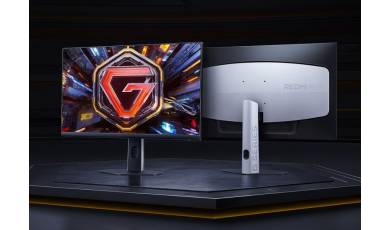
REDMI has unveiled the G24Q, an affordable gaming monitor featuring a Fast IPS panel. Despite its affordable price, the new model offers an advanced set of specifications and supports a range of features designed to enhance the gaming experience without the use of cheats.
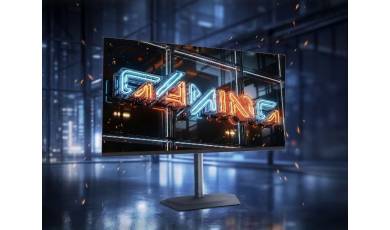
GIGABYTE has released a new gaming monitor, the MO32U24. This 32-inch model features 4K resolution, a QD-OLED panel, and a 240 Hz refresh rate?a rare combination of specifications even in the high-end segment.