


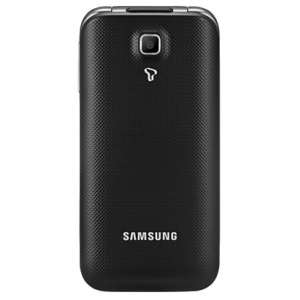
Secret codes for Samsung SHW-A301S
Mobiles >> Samsung >> Samsung SHW-A301S| Specifications | Reviews | Secret codes |
| All Samsung secret code |
Samsung secret codes
*#06# - IMEI (International Mobile Equipment Identity) number*#1111# or *#9999# or *#0837# - Software version Samsung SHW-A301S.
*#0808# - This code Change USB Settings.
*#2222# - Hardware Version Samsung SHW-A301S.
*#9090# - This code launches the diagnostic configuration
*#1234# - View SW Version PDA, CSC, MODEM, Firmware version
*#0*# - Advanced Test Menu Samsung SHW-A301S.
*#2663# - TSP / TSK firmware update
*#12580*369# - Software and hardware info.
*#0283# - Audio Loopback Control
*#0228# or *#9998*288# or *#9998*0288# or *#8999*228# - Battery status ADC, RSSI reading
*#0011# - Show ServiceMode
#7465625*638*# - Insert Network Lock Key Code
*#34971539# - Open Camera Firmware Menu Samsung SHW-A301S.
GSM codes for Samsung SHW-A301S
Change PIN code - **04* and enter the old PIN code, and twice a new PIN code.
Change PIN2 code - **042* and enter the old PIN2 code, and twice the new PIN2 code.
Unlock SIM (PIN) - **05* and enter the PUK code and new PIN code twice
Unlock SIM (PIN2) - **052* and enter the PUK2 code and new PIN2 code twice
Call Forwarding (you have to order the service from the operator)
| ##002# | And press the call icon to cancel all diverts. |
| ##004# | Cancel all conditional call forwarding |
| **004* phone number # | Activate all conditional call forwarding |
Unconditional call forwarding (Call Forward All)
| ###21 | Switch off and deactivate |
| #21# | Deactivate |
| **21*phone number# | Enable and Activate |
| *21# | Activate |
| *#21# | Check the condition |
Diversion in case of "no answer"
| ###61 | Switch off and deactivate |
| #61# | Deactivate |
| **61* phone number# | Enable and Activate |
| *61# | Activate |
| *#61# | Check the condition |
Diversion in case of "not available"
| ### 62 | Switch off and deactivate |
| # 62 # | Deactivate |
| ** 62 *phone number# | Enable and Activate |
| * 62 # | Activate |
| * # 62 # | Check the condition |
Diversion in case of "busy"
| ###67 | Switch off and deactivate |
| #67# | Deactivate |
| **67*phone number# | Enable and Activate |
| *67# | Activate |
| *#67# | Check the condition |
Call Barring (you have to order the service from the operator)
Change the password for all bans (default - 0000)
- ** 03 * 330 * old password * new password * new password #
Blocking of all outgoing calls
**33*(enter password)#@ - Activation code
#33*(enter password)#@ - Deactivation code
*#33#@ - Check Status
Restrict of all calls
*330*(enter password)# - Activation code
#330*(enter password)# - Deactivation code
*#330# - Check Status
Block outgoing international calls
*331*(enter password)# - Activation code
#331*(enter password)# - Deactivation code
*#331# - Check Status
Blocking of all outgoing international calls when roaming
*332*(enter password)# - Activation code
#332*(enter password)# - Deactivation code
*#332# - Check Status
Blocking of all outgoing calls
*333*(enter password)# - Activation code
#333*(enter password)# - Deactivation code
*#333# - Check Status
Blocking of all incoming calls
*353*(enter password)# - Activation code
#353*(enter password)# - Deactivation code
*#353# - Check Status
Restrict all incoming calls when roaming
*351*(enter password)# - Activation code
#351*(enter password)# - Deactivation code
*#351# - Check Status
Call waiting (you have to order the service from the operator)
*43# - Activation code
#43# - Deactivation code
*#43# - Check Status
Transfer your phone number (Anti ANI)
#30#phone number - Block
*30#phone number - Allow
*#30# - Check Status
Show phone number of the caller you (ANI)
#77# - Block
*77# - Allow
*#77# - Check Status
Proceed with Caution: Use codes with care, as incorrect usage could affect device functionality.
If you're unsure about a code, do not use it. It's better to be safe than sorry.
 | Tarik Tonkov Mobile technology specialist |
| Tarik Tonkov is a computer scientist and programmer turned tech journalist with a keen interest in the world of smartphones and tablets. He previously wrote for Android Life and was also a ghostwriter for several technology and automotive publications. He appreciates the reliability and beauty of smartphones, the symbiosis of characteristics and usability. In his free time, Tarik likes to travel by car and polish his programming skills to create small useful programs. | |
Comments, Questions and Answers about the secret codes of Samsung SHW-A301S
Ask a question about Samsung SHW-A301S
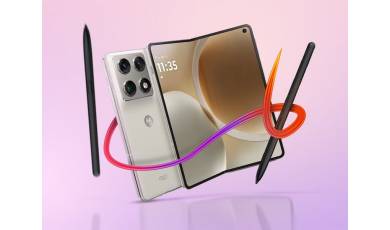
Motorola unveiled its new foldable phone back in January, but the release date and price of the new model remained unclear. Finally, both details have been revealed?and, as expected, the device is quite pricey.
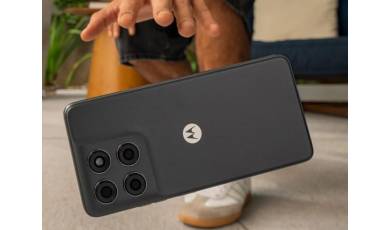
Motorola has expanded its G-series lineup with the introduction of the G37 and G47 smartphones. Both new models offer improved specifications compared to their predecessors, featuring increased battery capacity, enhanced display performance, and a higher IP rating.
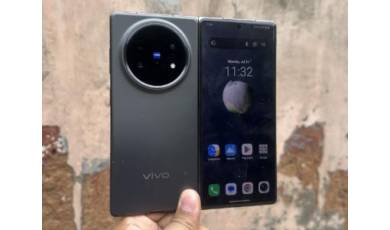
Well-known insider Digital Chat Station has revealed the specifications of the yet-to-be-announced flagship foldable, the vivo X Fold 6. Details regarding display sizes, processor model, battery capacity, charging power, and camera specifications have been disclosed.