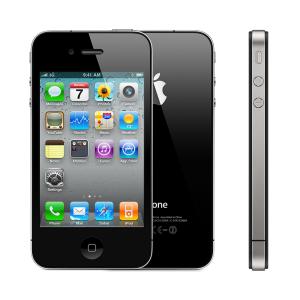


Secret codes for Apple iPhone 4
Mobiles >> Apple iPhone >> Apple iPhone 4| Specifications | Reviews | Secret codes |
| Unlock phone | Root phone |
| Screenshot |
| Enter Recovery mode | Hard reset | Soft reset | Enter DFU mode | |
Apple iPhone secret codes
*#06# - IMEI (International Mobile Equipment Identity) numberFor Apple iPhone and smartphones of other brands, there are "secret" service codes that give you the opportunity to get additional information about your phone or network. Use these codes with caution, because the use of an erroneous command can lead to undesirable consequences and disrupt the device. All service commands should be entered in the standard program "Phone".
*3001#12345#* and press call - Enter Field Mode. Information about the SIM-card, indicators of cellular communication and signal level. All data is constantly updated.
*777# and press call - Account balance for prepaid iPhone (might not work for all carriers).
*225# and press call - Bill Balance. (Postpaid only) (might not work for all carriers)
*646# and press call - Check minutes. (Postpaid only). It will display you the available minutes of your talk time.
*#30# and press call - Calling line presentation check.
Outgoing Call Anonymity
*#31# and press call - It allow you hide your number.
#31#phone-number and press call - Call Anonymity
Call Baring
*#33# and press call - Check for call control bars.
*33*pin# and press call - Turn ON Call Barring
#33*pin# and press call - Turn OFF Call Barring
Call Waiting
*#43# and press call - Determine if call waiting is enabled.
*43# and press call - Activate a waiting.
#43# and press call - Deactivate waiting.
*#76# and press call - Check whether the connected line presentation is enabled or not.
Call Forwarding
*#21# and press call - Setting interrogation for call forwards.
*#62# and press call - Check the number for call forwarding if no service is available.
*#67# and press call - Check the number for call forwarding when the iPhone is busy.
##002# and press call - Disable All Forwarding. After that all incoming calls can be received only by the subscriber.
*#61# and press call - Check the number for unanswered calls.
*#5005*7672# and press call - SMS Message Center Number
#50057672# and press call - SMS Center Number
#500525371# and press call - Alert system check.
*331* - Barring code # Outgoing calls abroad to block the lock code to inquire about her please contact your network operator.
*3282# - It will let you know about the use of information info.
*3370# and press call - EFR(Enhanced Full Rate) Mode. Increases the quality of communication (thanks to the full-bit encoding mode), but lowers battery power.
#3370# - Disable EFR mode.
Codes might vary depending on iPhone model, iOS version, and carrier.
GSM codes for Apple iPhone 4
Change PIN code - **04* and enter the old PIN code, and twice a new PIN code.
Change PIN2 code - **042* and enter the old PIN2 code, and twice the new PIN2 code.
Unlock SIM (PIN) - **05* and enter the PUK code and new PIN code twice
Unlock SIM (PIN2) - **052* and enter the PUK2 code and new PIN2 code twice
Call Forwarding (you have to order the service from the operator)
| ##002# | And press dial to cancel all active call diverts. |
| ##004# | Cancel all conditional call forwarding |
| **004* phone number # | Activate all conditional call forwarding |
Unconditional call forwarding (Call Forward All)
| ###21 | Switch off and deactivate |
| #21# | Deactivate |
| **21*phone number# | Enable and Activate |
| *21# | Activate |
| *#21# | Check the condition |
Diversion in case of "no answer"
| ###61 | Switch off and deactivate |
| #61# | Deactivate |
| **61* phone number# | Enable and Activate |
| *61# | Activate |
| *#61# | Check the condition |
Diversion in case of "not available"
| ### 62 | Switch off and deactivate |
| # 62 # | Deactivate |
| ** 62 *phone number# | Enable and Activate |
| * 62 # | Activate |
| * # 62 # | Check the condition |
Diversion in case of "busy"
| ###67 | Switch off and deactivate |
| #67# | Deactivate |
| **67*phone number# | Enable and Activate |
| *67# | Activate |
| *#67# | Check the condition |
Call Barring (you have to order the service from the operator)
Change the password for all bans (default - 0000)
- ** 03 * 330 * old password * new password * new password #
Barring of all outgoing calls
**33*(enter password)#@ - To Activate
#33*(enter password)#@ - To Cancel
*#33#@ - Check Status
How to turn off all calls
*330*(enter password)# - To Activate
#330*(enter password)# - To Cancel
*#330# - Check Status
All outgoing international calls barring
*331*(enter password)# - To Activate
#331*(enter password)# - To Cancel
*#331# - Check Status
How to turn off all outgoing international calls when roaming
*332*(enter password)# - To Activate
#332*(enter password)# - To Cancel
*#332# - Check Status
How to bar all outgoing calls
*333*(enter password)# - To Activate
#333*(enter password)# - To Cancel
*#333# - Check Status
Barring of all incoming calls
*353*(enter password)# - To Activate
#353*(enter password)# - To Cancel
*#353# - Check Status
How to turn off all incoming calls when roaming
*351*(enter password)# - To Activate
#351*(enter password)# - To Cancel
*#351# - Check Status
Call waiting (you have to order the service from the operator)
*43# - To Activate
#43# - To Cancel
*#43# - Check Status
Transfer your phone number (Anti ANI)
#30#phone number - Block
*30#phone number - Allow
*#30# - Check Status
Show phone number of the caller you (ANI)
#77# - Block
*77# - Allow
*#77# - Check Status
Proceed with Caution: Use codes with care, as incorrect usage could affect device functionality.
If you're unsure about a code, do not use it. It's better to be safe than sorry.
 | Tarik Tonkov Mobile technology specialist |
| Tarik Tonkov is a computer scientist and programmer turned tech journalist with a keen interest in the world of smartphones and tablets. He previously wrote for Android Life and was also a ghostwriter for several technology and automotive publications. He appreciates the reliability and beauty of smartphones, the symbiosis of characteristics and usability. In his free time, Tarik likes to travel by car and polish his programming skills to create small useful programs. | |
Comments, Questions and Answers about the secret codes of Apple iPhone 4
Ask a question about Apple iPhone 4