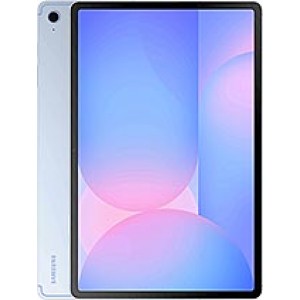


Bypass FRP Samsung Galaxy Tab S10 FE plus
Mobiles >> Samsung >> Samsung Galaxy Tab S10 FE plus| Specifications | Reviews | Secret codes |
| Unlock phone | Root phone | Bypass FRP |
| Backup | Flash Firmware | Screenshot |
How to Bypass FRP Samsung Galaxy Tab S10 FE plus using Easy Samsung FRP Tool 2020 v1
Before Bypass FRP, follow these steps.
1. Charge your phone battery.
2. Make sure you know the exact model of your phone.
3. Take a USB cable to connect a mobile phone to the PC.
4. After that, download Easy Samsung FRP Tool 2020 v1 on your computer.
5. Next, download and install Samsung USB driver v1.7.43.0 on your PC.
Bypass FRP using Easy Samsung FRP Tool 2020 v1
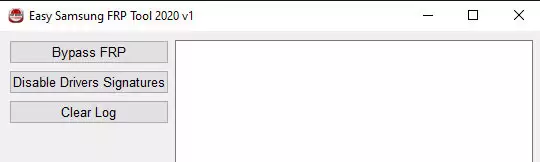
1. Open the Easy Samsung FRP Tool on your computer.
2. Click on Disable Driver Signature.
3. Restart Your Computer. Go to Easy Samsung FRP Tool again.
4. Connect Samsung to the PC using a USB cable.
5. Then Click the Bypass FRP button in the program window.
6. Look at the screen of your Samsung, and in the window that appears, click the View button.
Summary: OS: Android 15, One UI 7; Chipset: Exynos 1580 (4 nm); CPU: Octa-core (1x2.9 GHz Cortex-A720 & 3x2.6 GHz Cortex-A720 & 4x1.9 GHz Cortex-A520); GPU: Xclipse 540; Type: IPS LCD, 90Hz; Screen Size: 13.1 inches, 497.6 cm 2 (~85.0% screen-to-body ratio); Resolution: 1800 x 2880 pixels, 16:10 ratio (~259 ppi density); Protection: Mohs level 5; Card slot: microSDXC; Internal: 128GB 8GB RAM, 256GB 12GB RAM; Single camera: 13 MP, f/2.0, (wide); Features: Best Face; Video: 4K@30fps, 1080p@30fps; Single camera: 12 MP, f/2.4, (ultrawide); Video: 4K@30fps, 1080p@30fps; Loudspeaker: Yes, with stereo speakers; 3.5mm jack: No; WLAN: Wi-Fi 802.11 a/b/g/n/ac/6e, dual-band, Wi-Fi Direct; Bluetooth: 5.3, A2DP, LE; Positioning: GPS, GALILEO, GLONASS, BDS, QZSS - cellular model only; NFC: Yes; Radio: N ...
Comments, questions and answers on the Bypass FRP on Samsung Galaxy Tab S10 FE plus
Ask a question about Samsung Galaxy Tab S10 FE plus