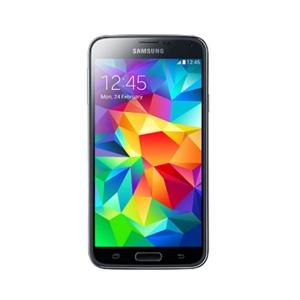

Bypass FRP Samsung Galaxy S5 (SM-G900H)
Mobiles >> Samsung >> Samsung Galaxy S5 (SM-G900H)| Specifications | Reviews | Secret codes |
| Unlock phone | Root phone | Bypass FRP |
| Backup | Flash Firmware | Screenshot |
How to Bypass FRP Samsung Galaxy S5 (SM-G900H) using Easy Samsung FRP Tool 2020 v1
Before Bypass FRP, follow these steps.
1. Charge your mobile phone battery.
2. Make sure you know the exact model of your phone.
3. Take a USB cable to connect a mobile phone to the PC.
4. Download Easy Samsung FRP Tool 2020 v1 on your computer.
5. Download Samsung USB driver v1.7.43.0 on your computer.
Bypass FRP using Easy Samsung FRP Tool 2020 v1
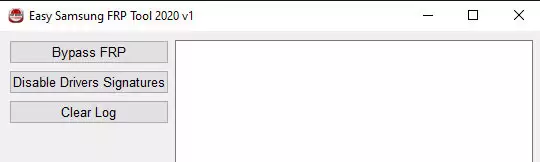
1. Open the Easy Samsung FRP Tool on your computer.
2. Click on Disable Driver Signature.
3. Restart Your Computer. Reopen the Easy Samsung FRP Tool.
4. Connect Samsung to the PC using a USB cable.
5. Then Click the Bypass FRP button in the program window.
6. Finally, look at the screen of your phone and click View.
Summary: Screen Type: Super AMOLED Capacitive Touchscreen; Screen Size: 5.1 inches; Screen Resolution: 1920 x 1080; Number of Colours: 16M; Processor: Quad Core; Processor Speed: 1.9 GHz 1.3 GHz; Internal Memory: 16GB, 2GB RAM; Extendable Memory: microSD, up to 64GB; Sensor Resolution: 16MP; Video resolution / frame rate: 1080p / 30fps; Video Recording: yes; Front facing camera: 2MP; Operating System: Android; Version: 4.4.2 (Kitkat); Bluetooth: 4.0(LE); Messaging: SMS, MMS, Email; USB Connector: yes; NFC: yes; Available Colours: White, Black; 2G: G ...
Comments, questions and answers on the Bypass FRP on Samsung Galaxy S5 (SM-G900H)
Ask a question about Samsung Galaxy S5 (SM-G900H)