

Acer V6 UM.UV6AA.E02 specs.
Monitors Specs >> Acer >> Acer V6 UM.UV6AA.E02| Specifications | | | Reviews |
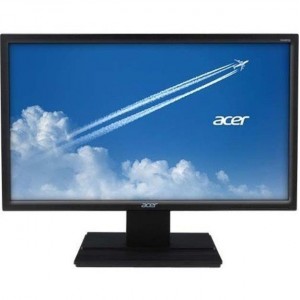
Technical Information Acer V6 UM.UV6AA.E02
Number of Screens:
1
Viewable Screen Size:
23.6"
Screen Mode:
Full HD
Panel Technology:
Vertical Alignment (VA)
Response Time:
5 ms
Aspect Ratio:
16:9
Horizontal Viewing Angle:
178°
Vertical Viewing Angle:
178°
Mount Type:
Wall Mountable
Features:
ComfyView
Video Acer V6 UM.UV6AA.E02
Maximum Resolution:
1920 x 1080
Standard Refresh Rate:
60 Hz
Color Supported:
16.7 Million Colors
Dynamic Contrast Ratio:
100,000,000:1
Brightness:
250 Nit
Interfaces/Ports Acer V6 UM.UV6AA.E02
DVI:
Yes
HDMI: High-Definition Multimedia Interface
High-Definition Multimedia InterfaceYes
VGA:Video Graphics Array
Video Graphics ArrayYes
Dimensions Acer V6 UM.UV6AA.E02
VESA Mount Compatible:
Yes
Color:
Black
Reviews, Questions about Acer V6 UM.UV6AA.E02
Write Review / Ask a question about Acer V6 UM.UV6AA.E02
Under its sub-brand, Lenovo has introduced the N2757Q monitor, designed for budget-conscious gamers who demand high image quality. Despite its affordable price, the new model features 1440p resolution and good color accuracy.
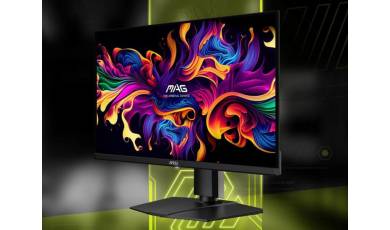
MSI has announced the new MAG OLED 271QPX32 gaming monitor. The compact 26.5-inch model features a fourth-generation QD-OLED panel with Penta Tandem technology, offering cutting-edge key specifications and a suite of image enhancement technologies.
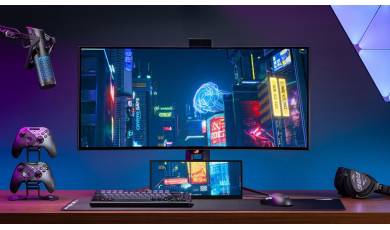
ASUS has added the compact ROG Strix XG129C secondary display to its lineup, designed for streamers, gamers, and anyone who constantly runs out of space on their main monitor. The company has even secured the support of the developers of the popular AIDA64 Extreme utility.