

How to jailbreak an Apple iPhone 15 Pro Max.
Mobiles >> Apple >> Apple iPhone 15 Pro Max| Specifications | Reviews | Secret codes |
| Unlock phone | Root phone |
| Screenshot |
How to jailbreak an Apple iPhone 15 Pro Max?
Jailbreak - full access to the file system iOS-devices. iOS, which run iPhone, iPod touch, iPad and Apple TV, not in vain is considered one of the safest operating systems. iOS Security is achieved through the closure: the program can only be placed from a single source (App Store store), installed applications are allowed to work only with files in their own folders, and the user is unable to edit any important system files.
Jailbreak, Apple allows you to bypass all restrictions and allow access to any files in your iPhone, iPod touch, iPad or Apple TV.
What are the benefits of jailbreaking?
1. First, jailbreak will allow you to install apps from outside the App Store. There are thousands of such programs, most of them are free, these programs do not make it to the App Store due to strict Apple restrictions.
2. Secondly, you can turn off some of the functions of your phone in order to significantly extend the battery life of the gadget.
3. Thirdly, with the help of third-party applications, you can make your individual interface design, change system icons, fonts, switches and much more..
4. Fourth, jailbreak will allow you to install free pirated copies of paid apps from the App Store.
How dangerous jailbreak?
1. In some cases, jailbreaking the phone leads to its complete inoperability.
2. Jailbreak is a good reason for refusing warranty repairs.
3. After jailbreak, your phone is exposed to malware and spyware threats.
How to jailbreak using a Windows computer. Step-by-step instruction:
1. Download and run AltServer on your computer.
2. Connect iPhone to computer with original USB cable. Click the AltServer icon in the menu, select Install AltStar and choose the name of your iPhone. Next, you will need to enter your Apple ID login and password.
3. Do not disconnect the phone from the computer. Launch Safari on your smartphone, and download the latest version of the Unc0ver utility from the Unc0ver.dev website..
4. Launch Unc0ver and when asked where to open it, select AltStore.
5. Launch Unc0ver on your phone, press the Jailbreak button, wait for the process to complete. The Cydia icon will appear on your phone screen.
Summary: OS: iOS v17; Screen Resolution: 1284 x 2778 Pixels; Screen type: Liquid Retina XDR mini-LED LCD; Pixel density: 457 ppi; Touch screen: Yes, Capacitive Touchscreen, Multi-touch; Internal memory: 256 GB; Front camera: 12 MP; Front camera: 12 MP, f/2.2, 23mm (wide); Main camera: 12 MP 12 MP 12 MP TOF; Resolution: 12 MP, f/1.6, 26mm , 1.7Вµm, dual pixel PDAF, sensor-shift stabilization , 12 MP, f/2.0, 65mm , 1/3.4", 1.0Вµm, PDAF, OIS, 2.5x optical zoom, 12 MP, f/1.8, 120, 13mm , AF, TOF 3D LiDAR scanner; Camera setup: Single; Flash: Yes, Dual LED Flash; Autofocus: Yes; Shooting modes: Continuos Shooting, High Dynamic Range mode (HDR); Video recording: Yes; Settings: Exposure compensation, ...
 | Tarik Tonkov Mobile technology specialist |
| Tarik Tonkov is a computer scientist and programmer turned tech journalist with a keen interest in the world of smartphones and tablets. He previously wrote for Android Life and was also a ghostwriter for several technology and automotive publications. He appreciates the reliability and beauty of smartphones, the symbiosis of characteristics and usability. In his free time, Tarik likes to travel by car and polish his programming skills to create small useful programs. | |
Comments, Questions and Answers about Apple iPhone 15 Pro Max
Ask a question about Apple iPhone 15 Pro Max
HMD has confirmed the launch date for its new budget smartphone, the Vibe 2 5G. In an official render, the company revealed the device's design, disclosed its color options, and confirmed some key specifications.
realme has officially confirmed the launch date for its new realme 16T 5G smartphone. At the same time, details about the design of the upcoming device and some of its technical specifications have been revealed.
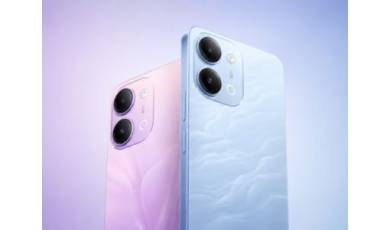
vivo has released the mid-range Y60 smartphone. Key features of the model include a durable build, a high-capacity battery with reverse charging, and a display with a high refresh rate.